

Hire your AI Executive Assistant. At 1/100 the cost of a human one.

Drafts, briefs, scheduling — free to start.

60 free AI credits · No card · 30 seconds to start

Meet the crew
RubyCapture
Clip FinderResearch
OperatorDrafts
abgea.pluglab.ai
Loading demo...
Your AI Executive Assistant

Does the EA work, gets smarter every week.

Capture · organize · draft — and learns your tone, judgment, and preferences from every approval. The longer you use it, the more it sounds like you.

Ruby
Captures and organizes anything

Drop chats, PDFs, screenshots, links. Ruby builds your second brain automatically — every capture is auto-tagged, linked, and searchable.

knowledge graphontologyclip-search
Clip Finder
Researches with live sources

Pulls fresh sources from the live web and connects them to your captures. Every claim is cited.

web-searchyoutubemaps
Operator
Drafts in your voice

Writes emails, briefs, plans — and learns your tone from every approval, edit, or reject. One tap sends, never auto-pilot.

google-workspacenotionlineardrafts
What it ships for you

The work you used to do at 11pm.

Tap a card to see ABGEA work it.

Investor update draft

Investor
Output

A crisp monthly update with wins, risks, asks, and metrics.

How ABGEA handles it

Ruby pulls the latest clips, Clip Finder checks fresh market context, and Operator drafts in your voice.

Your handoff

Approve, edit, or ask Operator for a shorter version before sending.

How the workspace builds itself

Three steps. No tagging. No folders.

ABGEA captures, organizes, and ships from a graph that builds itself in the background.

Capture from any AI chat

ChatGPT · Claude · Gemini · Perplexity · DeepSeek · Grok · Copilot. Plus PDFs, Word, screenshots, links.

ChatGPTClaudeGeminiPerplexityDeepSeekGrokCopilot

AI Organize

Thinkly’s knowledge graph extracts entities, topics, and sources automatically. No tagging needed.

Page Generation

Operator drafts pages, briefs, and plans from your captures. You approve, edit, or reject — your tap, every time.

What ABGEA does

Six things, done well.

Source chips flowing into the ABGEA inbox

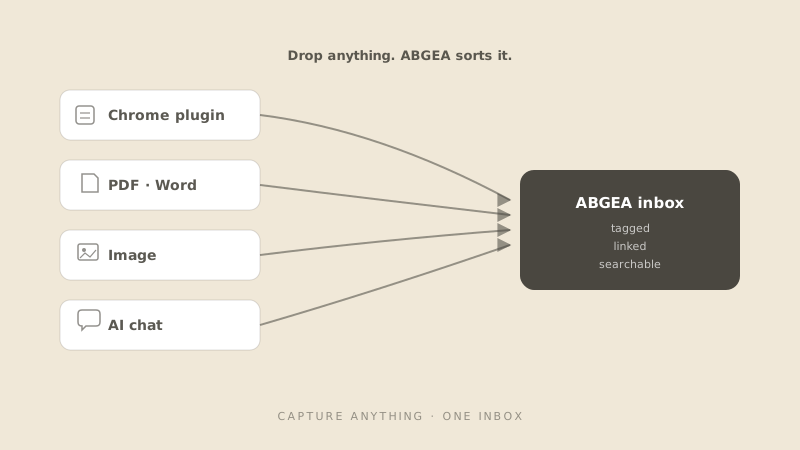
Capture anything

Chrome plugin · PDF · Word · image · AI chats. One click, every source kept and searchable.

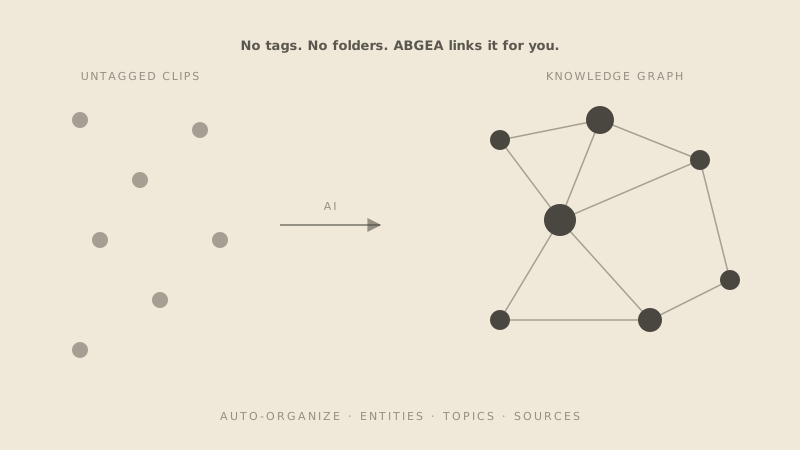
Disconnected dots becoming a connected knowledge graph

Auto-organize

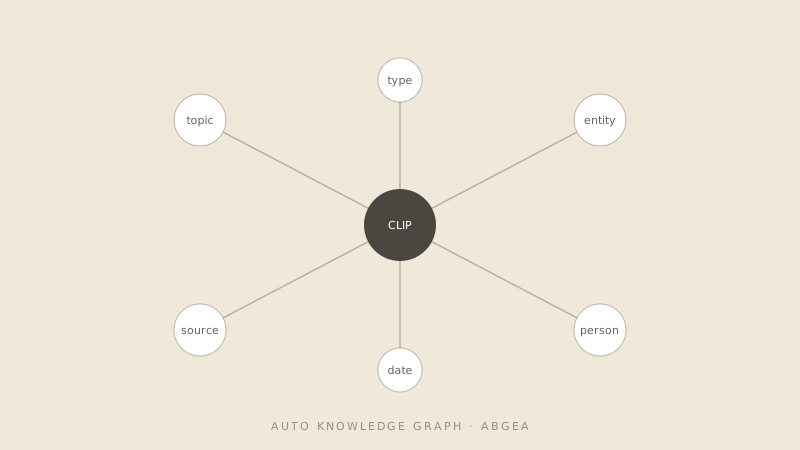
Thinkly’s knowledge graph builds entity, topic, and source links automatically. No tagging needed.

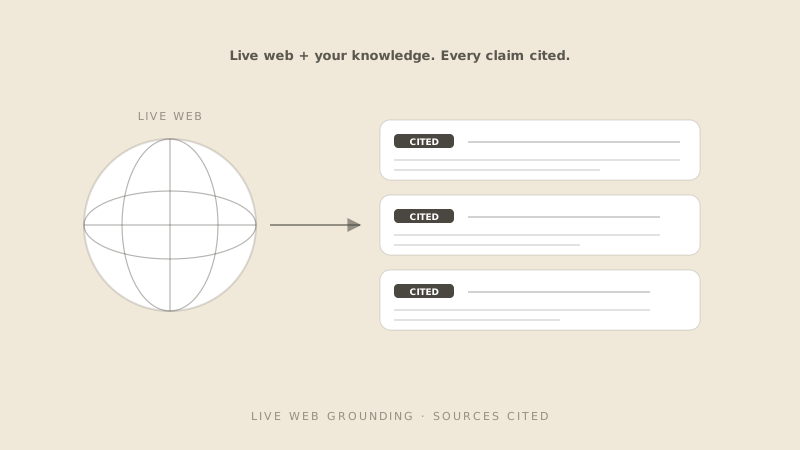
Globe and three cited clip cards

Live web + your knowledge

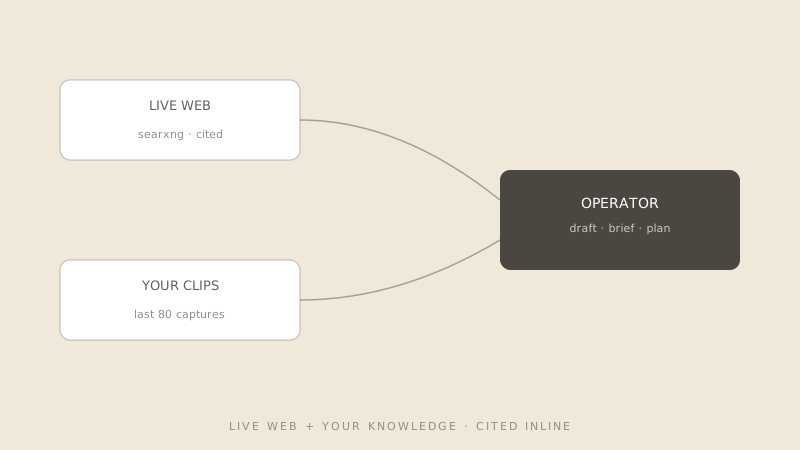
Operator searches the live web and blends results with your last 80 captures. Sources cited.

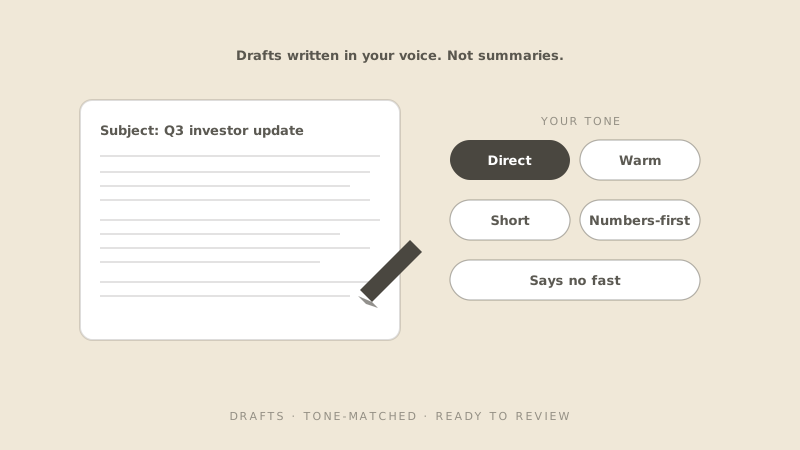
Document with tone-matching pills

Drafts, not summaries

Email replies, briefs, plans — written and tone-matched. Ready for review.

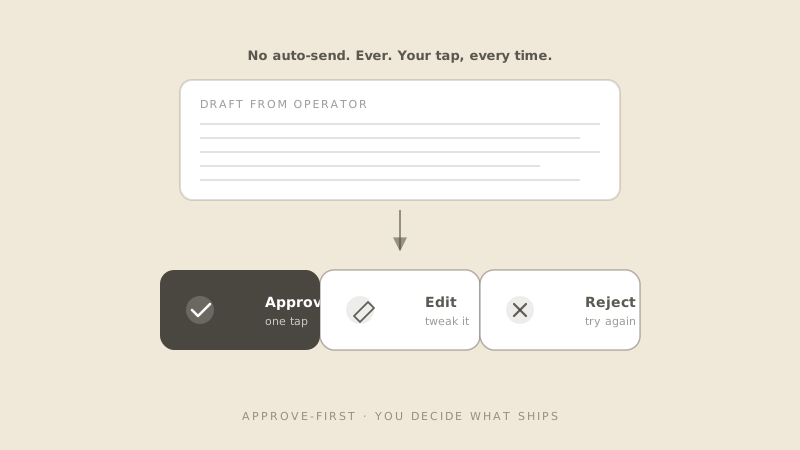
Approve, Edit, Reject button row with Approve highlighted

You decide what ships

Operator drafts. You approve, edit, or reject. No auto-send, ever.

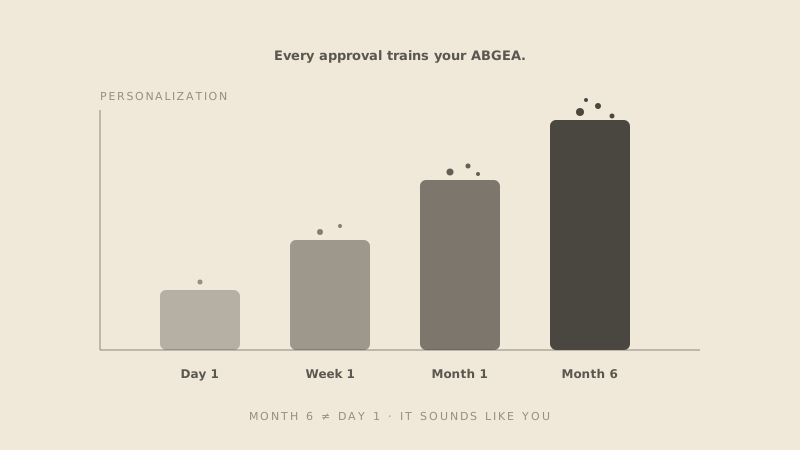
Ascending bar chart from Day 1 to Month 6

Smarter every approval

ABGEA learns your tone, judgment, and preferences from every approve / edit / reject. The drafts at month 6 sound like you wrote them — because you trained it.

How it works

Stronger than OpenClaw, built for solo operators.

Six ideas that make ABGEA different from a meeting recorder, a chat wrapper, or a local agent.

Knowledge graph diagram

Auto knowledge graph + ontology

Every clip is parsed into entities, topics, and sources, then woven into a graph you can query.

Hermes Agent badge

Hermes Agent inside (stronger than OpenClaw)

Same engine that powers OpenClaw, hosted in the cloud and pre-loaded with your inbox, calendar, and memory.

Live web grounding diagram

Live web + your knowledge grounding

Every request blends live web search with your last 80 captures. Sources are cited inline.

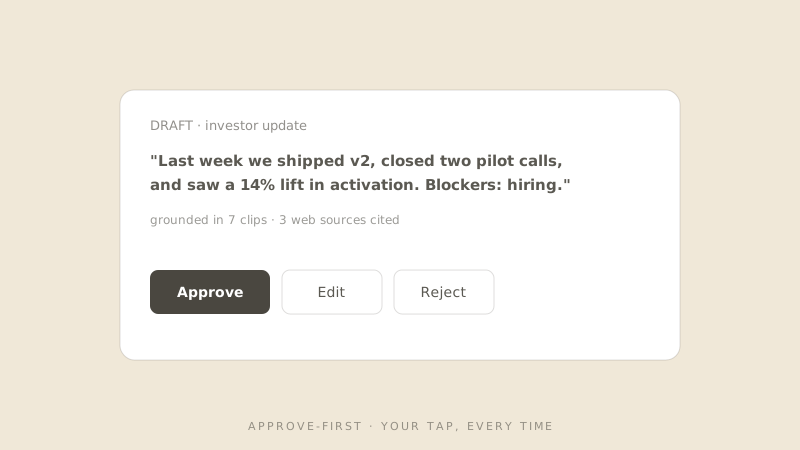
Approve-first UI snippet

Approve-first control

Operator drafts only. Sending, posting, deleting — never automatic. Your tap, every time.

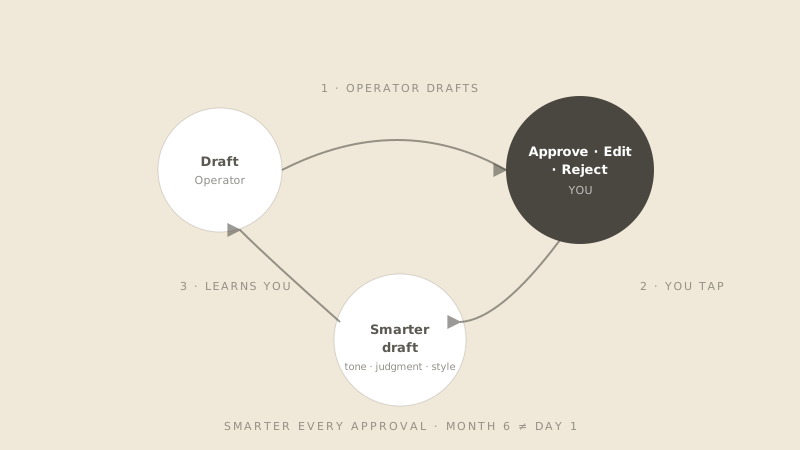
Feedback personalization loop diagram

Learns from your feedback

Every approve, edit, and reject trains your ABGEA. It learns your tone, your priorities, who gets the short version, who gets the long version. Your ABGEA at month 6 ≠ your ABGEA at day 1.

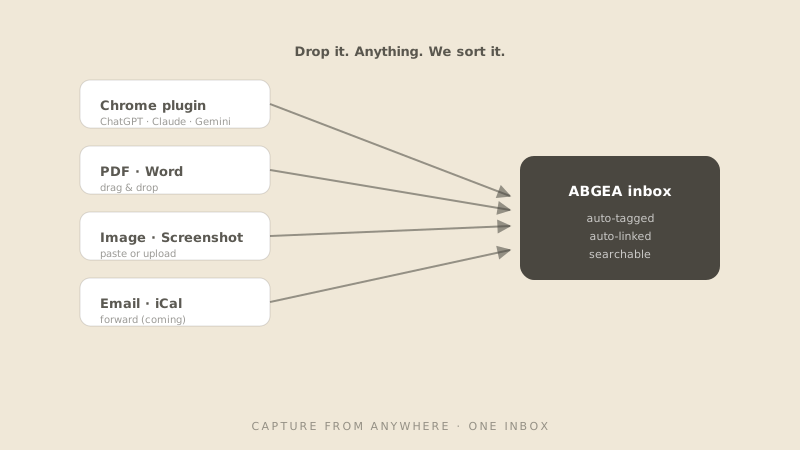
Capture from anywhere diagram

Capture from anywhere

Chrome plugin captures any AI chat. Drag-and-drop PDFs, Word docs, screenshots into the inbox. Email forward + iCal coming.

Powered by Hermes Agent

15 cloud-safe skills, more landing weekly.

Operator runs the same skills used by engineering teams — no local install needed.

google-workspaceGmail · Cal · Drive
notionSync your pages
linearIssues + cycles
airtableRead + write rows
githubPRs + issues
claude-codeRepo edits
codexCode review
web-searchLive web · cited
youtubeFind + transcript
mapsLocal + travel
humanizerTone polish
ideationBrainstorms
sketchQuick wireframes
excalidrawDiagrams
architectureSystem diagrams
google-workspaceGmail · Cal · Drive
notionSync your pages
linearIssues + cycles
airtableRead + write rows
githubPRs + issues
claude-codeRepo edits
codexCode review
web-searchLive web · cited
youtubeFind + transcript
mapsLocal + travel
humanizerTone polish
ideationBrainstorms
sketchQuick wireframes
excalidrawDiagrams
architectureSystem diagrams
Why ABGEA

Four reasons solo founders pick ABGEA.

A universal capture layer, a cloud-safe runtime, your tap on every send — and an assistant that gets smarter every week.

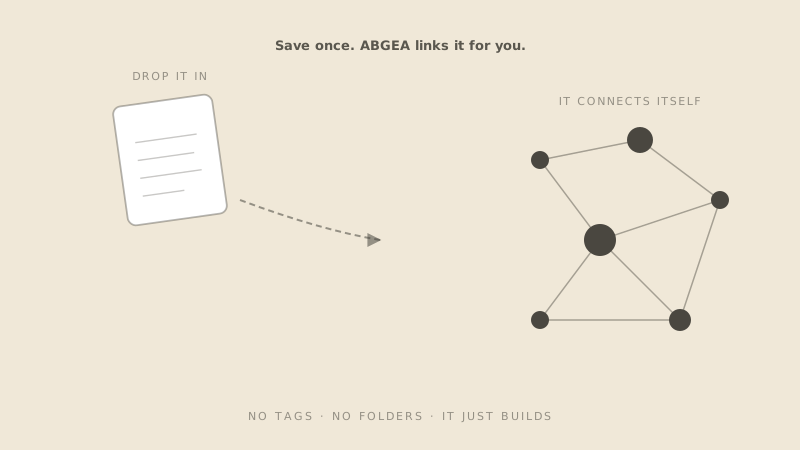
A dropped file flowing into a self-organizing knowledge graph
01

Save once. It connects itself.

Universal capture from Chrome, PDF, Word, image, and AI chats. The graph builds itself — no folders, no tagging.

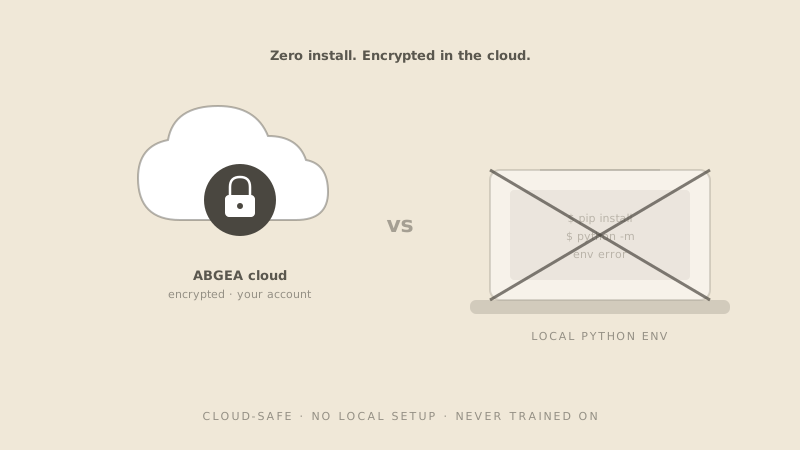
Encrypted ABGEA cloud versus a crossed-out local Python env laptop
02

Cloud-safe. Zero local install.

Hermes Agent hosted in your account. No Python env, no API keys on your machine, no laptop running overnight.

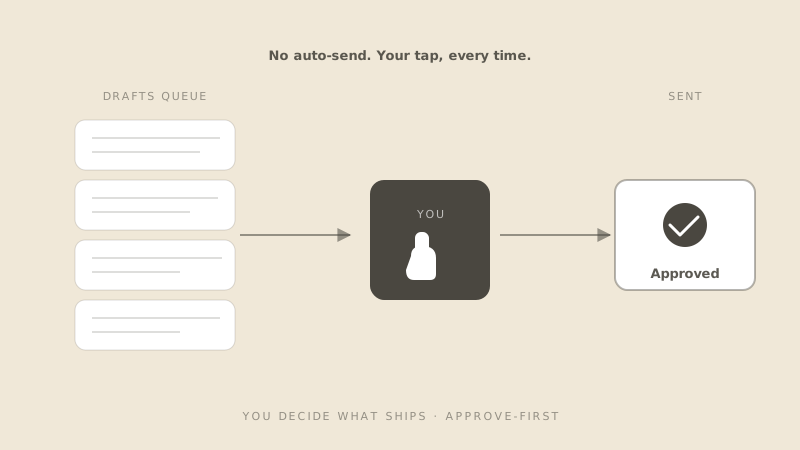
Drafts queue routed through your tap before sending
03

You decide what ships.

Operator drafts only. Send, post, delete — always your tap. Approve-first by default, every time.

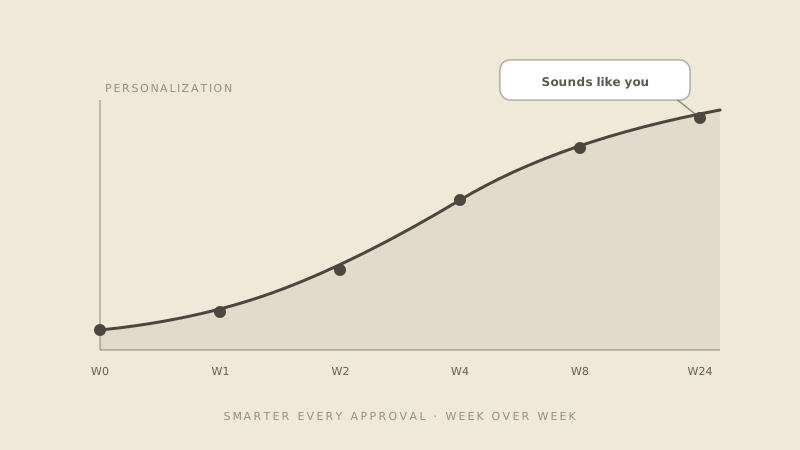
Personalization curve rising week over week
04

Smarter every week.

Every approval, edit, and reject trains your ABGEA. The longer you use it, the more it sounds like you.

Why ABGEA, not local OpenClaw?

Stronger than OpenClaw. Easier than any other agent. No install needed.

OpenClaw is the popular open-source agent runtime. ABGEA runs the same Hermes engine in the cloud — sign in, and Operator is already wired to your inbox, calendar, and memory.

FeatureOpenClaw (local)ABGEA (cloud)
SetupLocal install + Python envCloud · sign in 30s
SecurityAPI keys on your machineEncrypted in your account
KnowledgeBYO context every timeAuto graph from your clips
Live webAdd-on / DIYBuilt-in · cited
DraftsYesYes + tone matching
MobileNoOn the roadmap

Your data stays yours.

We never train on your content. Disconnect any source in one click and the cache is wiped.

Free plan · 60 AI credits · No card
Chrome extension

Capture AI chats where they already happen.

Install the Thinkly Chrome extension, save useful ChatGPT, Claude, Gemini, and Perplexity answers with one click, then let ABGEA organize them for Ruby, Clip Finder, and Operator.

Add to Chrome — Free

30 seconds · No card

  1. Install the extension
  2. Capture from any AI chat
  3. ABGEA turns it into reusable memory
Pricing

Free plan with 60 AI credits.

60 AI credits to start · No card · Pro plan available with usage-based pricing.

Free plan keeps your captures forever.

Hand off the busywork. Keep the decisions.

Start free in 30 seconds. ABGEA handles the rest.
FAQ

Quick answers

Is ABGEA available today?

Yes. Sign in once and Operator starts working from your saved clips. Free plan, no card.

What can it draft?

Emails, briefs, plans, follow-ups — grounded in your knowledge and live web. Operator never sends or posts; you stay in control.

Where does my data live?

In your Thinkly account. Never trained on. Never sold. Wipe everything from settings any time.

Which AI platforms does the capture plugin work with?

ChatGPT, Claude, Gemini, Perplexity, DeepSeek, Grok, Copilot — and any web-based AI chat. The Chrome extension captures from all of them with one click.

How do I install the Chrome extension?

Three steps. Install (30 seconds, no card). Chat anywhere — ChatGPT, Claude, Gemini, the rest, keep using what you use. Done — ABGEA captures it, organizes it, ready for Operator.

Do you train models on my data?

No. Your captures, drafts, and edits stay in your account. We use them only to personalize your assistant — never to train shared models.

What happens to drafts I reject?

Rejects are signal. ABGEA learns what you don’t want and drops that pattern next time. Nothing rejected gets sent, posted, or saved as a final.

Will ABGEA work without the Chrome plugin?

Yes. Drag-and-drop PDFs, Word docs, and screenshots into the inbox to start. The plugin makes capture one-click for AI chats — strongly recommended.